

2Pint Software events and webinars
Welcome to the 2Pint Software events calendar. Here you will find a list of our online webinars and in-person events that we will be attending. You can also replay some previous events if you missed them. Hope to see you soon!
Midwest Management Summit MOA Minneapolis 2026
MMS 2026 at MOA
The Midwest Management Summit is a tech conference run twice a year covering Microsoft ConfigMgr, Intune, Windows (11/365), Azure, and all things endpoint management related.
Speakers have time to meet and talk to you. No rushing people out of a session to get the next speaker going. Time to absorb what you see and talk it over with speakers and other attendees.
A true learning experience. Real networking. Real-life issues discussed.
Connect with 2Pint Software experts at the conference
2Pint Software team
MMS Brewery Tour Sponsored by 2Pint
Sunday May 3, 12:45PM-4:45PM
Andreas Hammarskjöld and Michael Niehaus
DeployR Community Edition: A Free MDT Replacement
Monday May 4, 8:00AM
Johan Arwidmark
Super-Speed: Enhance OS Deployment Performance
Monday May 4, 10:00AM
Nathan Ziehnert
AI Fundamentals: Demystifying Artificial Intelligence
Monday May 4, 10:00AM
Mattias Benninge and Andreas Hammarskjöld
Maximizing Endpoint Delivery Optimization
Monday May 4, 1:00PM
Mike Terrill and Gary Blok
OSD Essentials for the Modern Admin
Monday May 4, 3:00PM
Johan Arwidmark
Inside Intune: Internals, Diagnostics, and Troubleshooting
Tuesday May 5, 10:00AM
Nathan Ziehnert
Hidden Secrets of the PowerShell Masters
Tuesday May 5, 10:00AM
Mattias Benninge and Andreas Hammarskjöld
Mastering Delivery Optimization Troubleshooting
Tuesday May 5, 1:00PM
Nathan Ziehnert
PowerShell Hot Takes
Tuesday May 5, 1:00PM
Michael Niehaus
Navigating Windows Autopilot: Comprehensive Scenarios Guide
Tuesday May 5, 1:00PM
Mike Terrill and Carl Johan Hederoth
Ensuring Business Continuity: Challenges in Modern Endpoint Management
Tuesday May 5, 3:00PM
Johan Arwidmark
From Bluescreens to Scripts: Enhancing Troubleshooting with Microsoft Copilot
Tuesday May 5, 3:00PM
Michael Niehaus
Don't Brick the CEO's Mac: Building and Automating macOS Labs
Wednesday May 6, 8:00AM
Johan Arwidmark and Mike Terrill
Beyond Deployment: Sustaining Windows 11 Excellence
Wednesday May 6, 10:00AM
Mike Terrill and Gary Blok
Black Lotus Remediations: 2026 Edition
Wednesday May 6, 1:00PM
Gary Blok
Task Sequence Troubleshooting: OSD and Beyond
Wednesday May 6, 3:00PM
Mattias Benninge and Mike Terrill
Build Your Test Lab: No Lab? No Problem!
Wednesday May 6, 5:00PM
Johan Arwidmark
Office Hours LIVE: Community Updates and Interactive Discussions
Wednesday May 6, 5:00PM
Nathan Ziehnert
Whose Pipeline Is It Anyway? A PowerShell Game Show
Wednesday May 6, 5:00PM
Johan Arwidmark
Mastering App Deployment and Lifecycle Management with Intune
Wednesday May 6, 10:00AM
Gary Blok and Carl Johan Hederoth
PowerShell and GitHub Copilot: Supercharged Endpoint Management
Wednesday May 6, 10:00AM
Nathan Ziehnert
Automating the Un-Automatable: Advanced PowerShell Techniques
Wednesday May 6, 3:00PM
MMUGSE - Spring meetup Stockholm
Välkomna till MMUG April träff hos Microsoft i Stockholm. Vi har plats för 80 personer på detta event.
Sponsorer: 2Pint Software
Kl 09:00 startar vi med första sessionen.
Registrering 08:30
Notera: Detta är ett on-site event och vi tar ut en no-show avgift på 500kr om man anmält sig men inte kommer.
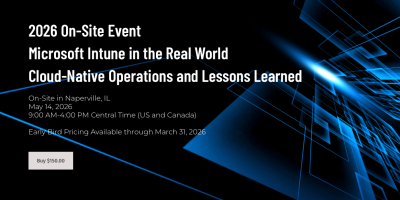
Microsoft Intune in the Real World: Cloud-Native Operations and Lessons Learned
Implementing Microsoft Intune is easy. Keeping it stable, predictable, and manageable over time is where real engineering begins.
This full-day, in-person event is led by Microsoft MVP Johan Arwidmark and industry expert Andrew Johnson, and focuses on how Intune behaves in real production environments. No portal tours. No marketing demos. Just practical operational guidance from practitioners who manage live customer tenants every day.

Workplace Ninjas Norway 2026
Join us at the second edition of Workplace Ninja’s Norway in 2026, a premier event dedicated to exploring the latest innovations and strategies in workplace technology. Held at Thon Hotel Storo in Oslo, this event brings together, industry leaders, experts, and enthusiasts for a day of insightful discussions and networking opportunities.
Experts Live UK 2026
Experts Live is a global, community-driven platform for Microsoft technologies, uniting MVPs, MCTs, and experts to share insights on Azure, AI, Security, and more. With 15+ years of experience and events across 12+ countries, it’s a top destination for IT professionals to network and gain real-world skills.
TechMentor 2026
Step into the future of IT and cybersecurity at Microsoft Headquarters in Redmond, WA, where TechMentor, a trusted learning destination since 1998, joins forces with Cybersecurity Live! Together, these powerhouse events bring IT managers, admins, engineers, and security professionals side by side to gain strategies, training, and insights—sharpening skills, sharing knowledge, and staying ahead in a rapidly changing technology landscape.
Workplace Ninja Summit
The goal of Workplace Ninja Summit is to bring the crowd of endpoint management and security ninjas together to share their knowledge and learn together. This covers topics around management of endpoints with Configuration Manager and Intune, as well virtual desktops and the complete security stack of Microsoft.
MMS Midway Edition
MMS is THE endpoint management event of the year. It's called a summit, not a conference, for a reason: it's where industry-leading speakers and MVPs from around the globe connect with Microsoft PMs and developers for deep-dive technical sessions you won't find anywhere else.
Plus, plenty of opportunities to network, swap stories, and maybe make some lifelong IT friends.
Scripting, DeployR, and content items
Eastern Time (America/New_York)
DeployR has a dashboard which can get you through, but when you want to get to the next level of mass imports, backups, and other automation, PowerShell and DeployR Module have you covered.
DeployR: Creating your own content items
Eastern Time (America/New_York)
Apps, driver packs, scripts, operating system images: how do you get them into DeployR to be consumed by your task sequence?
Advanced step definitions in DeployR
Eastern Time (America/New_York)
So you've got DeployR, the built-in steps cover a lot of use cases, you could use a PowerShell script to do a task that you typically do in all of your task sequences, but you'd like to add additional flexibility and ease of use for your DeployR Admins? It's time to create a custom step definition.